We Reviewed the Best LoopUp Alternatives for Seamless Communication
Quick Summary
Remote work demands secure, scalable communication tools. This guide explores leading LoopUp alternatives that enhance team productivity through advanced security, seamless platform integration, and robust collaboration features. Compare top solutions to protect sensitive data while maintaining smooth communication across your organization.
Looking for the Best LoopUp Alternatives?
Growing teams face new security and scale challenges that basic collaboration tools can't meet. While LoopUp handles core communication needs, expanding organizations require more robust solutions. This ZIRO guide compares top alternatives that protect sensitive data while streamlining workflows. Each option delivers enterprise-grade security, broad platform integration, and intuitive team collaboration tools. Let's find the right solution for your evolving remote work needs.
Why Listen to Us?
We test and evaluate business communication platforms, gathering feedback from IT teams who use them daily. Our recommendations come from real implementation experience, helping you find the right fit for your needs.
What Is LoopUp?
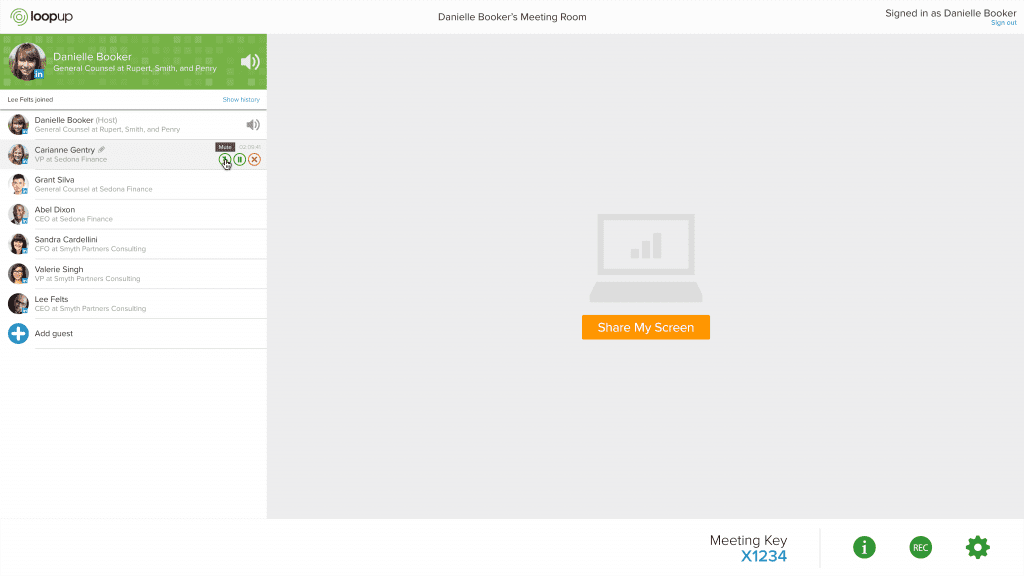
LoopUp delivers secure cloud communications for multinational enterprises, specializing in Microsoft Teams integration and global telephony. The platform combines video conferencing, cloud telephony, and remote collaboration tools, with coverage in 66 countries through Microsoft's Operator Connect program.
Key Features: global cloud telephony consolidating multinational telephony into a single cloud implementation; centralized management via one global portal with role-based admin access; a premium voice network partnering with 18 top regional carriers; 24/7 global multilingual support; and Microsoft integration as a certified Solutions Partner with advanced specialization in Teams Phone Calling.
Pricing: LoopUp offers Business and Enterprise Plans with pay-as-you-go or license options. Enterprise users can host up to 150 participants and access international dial-in/dial-out, custom branding, and dedicated account support.
Pros: reliable communication even in low-bandwidth conditions; easy scheduling and syncing with Outlook; encryption and secure access controls for sensitive meetings. Cons: many advanced tools are behind paywalls; limited third-party integrations compared to competitors; lacks an integrated chat feature during meetings.
Limitations of LoopUp
- Audio Quality Inconsistency: Users report occasional issues with sound clarity, including distorted voices and interference during calls.
- Connection Reliability: Some participants experience difficulties joining meetings or face connection drops independent of their internet quality.
- Recording Access: Administrators cannot download meeting recordings for other users through the portal.
- Price Point: Users find the platform expensive compared to modern alternatives with similar features.
Top LoopUp Alternatives for Secure Remote Collaboration
- ZIRO
- Microsoft Teams
- Zoom
- GoTo Connect
- Cisco Webex
1. ZIRO
ZIRO automates Microsoft Teams Voice migrations, stripping away complexity for enterprise transitions to cloud communications. Our platform shortens migration timelines from months to days through automated assessment and provisioning. ZIRO provides a fully managed experience for Teams telephony, unlike infrastructure-based solutions. As dedicated Microsoft Teams Voice specialists, we handle every aspect of voice transformation—from initial PBX documentation to final user enablement.
Key Features: migration automation (documents PBX systems and auto-provisions users through MACD assessment); bulk deployment of thousands of users and devices in synchronized batches; Direct Routing linking Teams to PSTN networks; legacy integration; helpdesk tools; and usage analytics across global deployments. Pricing: ZIRO offers flexible, tailored solutions—contact us for a customized quote.
Pros: reduces migration complexity and costs; provides ongoing management and compliance support; enhances internal IT capabilities with helpdesk enablement; strong focus on Microsoft Teams integration; excellent for organizations with legacy systems. Cons: primarily focused on Microsoft Teams Voice solutions; not suitable for small businesses.
2. Microsoft Teams
Microsoft Teams is a comprehensive unified communications and collaboration platform that combines chat, video meetings, file storage, and cloud telephony capabilities. As part of the Microsoft 365 ecosystem, it offers everything from basic team collaboration to enterprise-grade voice calling through Teams Phone, with flexible PSTN connectivity through Microsoft Calling Plans, Operator Connect, or Direct Routing partners.
Key Features: chat and collaboration; HD video conferencing with recording and transcription; cloud telephony with voicemail, call queues, and auto attendants; file management via OneDrive and SharePoint; application integration; and enterprise-grade security and compliance. Pricing: Microsoft 365 Business Basic $6/user/mo; Business Standard $12.50/user/mo; Teams Phone add-ons from $8 (Standard) to $15 (with Calling Plan).
Pros: complete UC solution with voice, video, and chat; seamless Microsoft 365 integration; robust security; scalable; extensive app integrations; choice of Operator Connect or Direct Routing. Cons: full telephony features require additional Teams Phone licensing; can be complex to set up for non-technical users.
3. Zoom
Zoom is a comprehensive UC platform that combines enterprise-grade video meetings, team chat, cloud phone systems, and AI-powered collaboration tools into one solution. As part of the broader Zoom Workplace ecosystem, it enables organizations to streamline communications while supporting both remote and hybrid work.
Key Features: HD video and audio; Zoom Phone cloud phone system; team chat; AI Companion for meeting summaries and task extraction; workspace solutions; and third-party integration via the Zoom Marketplace. Pricing: Pro $13.32/user/mo, Business $18.32/user/mo, Business Plus $22.49/user/mo (billed annually); Zoom Phone add-ons from $10 to $20/user/mo.
Pros: high-quality audio and video even at scale; integrations with Google Workspace and Slack; easy scheduling and one-click joining; highly scalable up to 1,000 participants. Cons: free plan has time limitations for group meetings; security concerns have been raised in the past.
4. GoTo Connect
GoTo Connect is an all-in-one cloud communications platform that combines phone system, video meetings, messaging, and customer engagement capabilities, from basic phone features to comprehensive contact center solutions.
Key Features: cloud phone system with unlimited auto attendants and calls to 50 countries; video meetings for up to 250 participants; team chat, SMS, and MMS; multi-channel customer engagement (WhatsApp, Facebook, web chat, email); AI call summaries and sentiment analysis; and integrations with ServiceNow and Zendesk. Pricing: Phone System $26/user/mo; Connect CX $34/user/mo; Contact Center $80/user/mo.
Pros: reliable audio and HD video; screen and file sharing; mobile app; integrates with Office 365, Google Calendar, and Slack. Cons: advanced features may require higher-tier plans; limited customization options for meeting interfaces.
5. Cisco Webex
Cisco Webex combines carrier-grade calling, intelligent video meetings, and team collaboration into a tightly integrated experience backed by Cisco's global network infrastructure. Unlike pure cloud players, Webex offers deep integration with existing Cisco networking and security infrastructure while providing flexible deployment options from pure cloud to hybrid architectures.
Key Features: intelligent meetings with real-time translation and background noise removal; Webex Calling cloud PBX with Dedicated Instance or Cloud Connected PSTN; purpose-built collaboration devices; AI-powered transcription and meeting insights; and a single administrative portal. Pricing: Webex Suite from $25/user/mo; Webex Calling from $17/user/mo; Webex Contact Center for omnichannel engagement.
Pros: clear, reliable audio and HD video; extensive collaboration tools including whiteboards and breakout rooms; strong security including encryption and MFA; supports meetings up to 100,000 participants. Cons: advanced features may require higher-tier plans; initial setup may be complex for new users.
Find the Right LoopUp Alternative for Your Team's Needs
Choosing the ideal alternative to LoopUp is essential for enhancing remote collaboration, boosting security, and improving team communication. With the options in this list, you can select a solution that best meets your organization's goals. For a tailored approach, consider ZIRO. ZIRO specializes in providing custom, secure communications solutions that streamline transitions to platforms like Microsoft Teams Voice. With a focus on simplifying complex migrations and supporting seamless collaboration, ZIRO is an excellent choice for businesses looking to elevate their communication infrastructure.

Make your oldest system your smartest.
The fastest way to turn complex technical information into clear, actionable intelligence.